
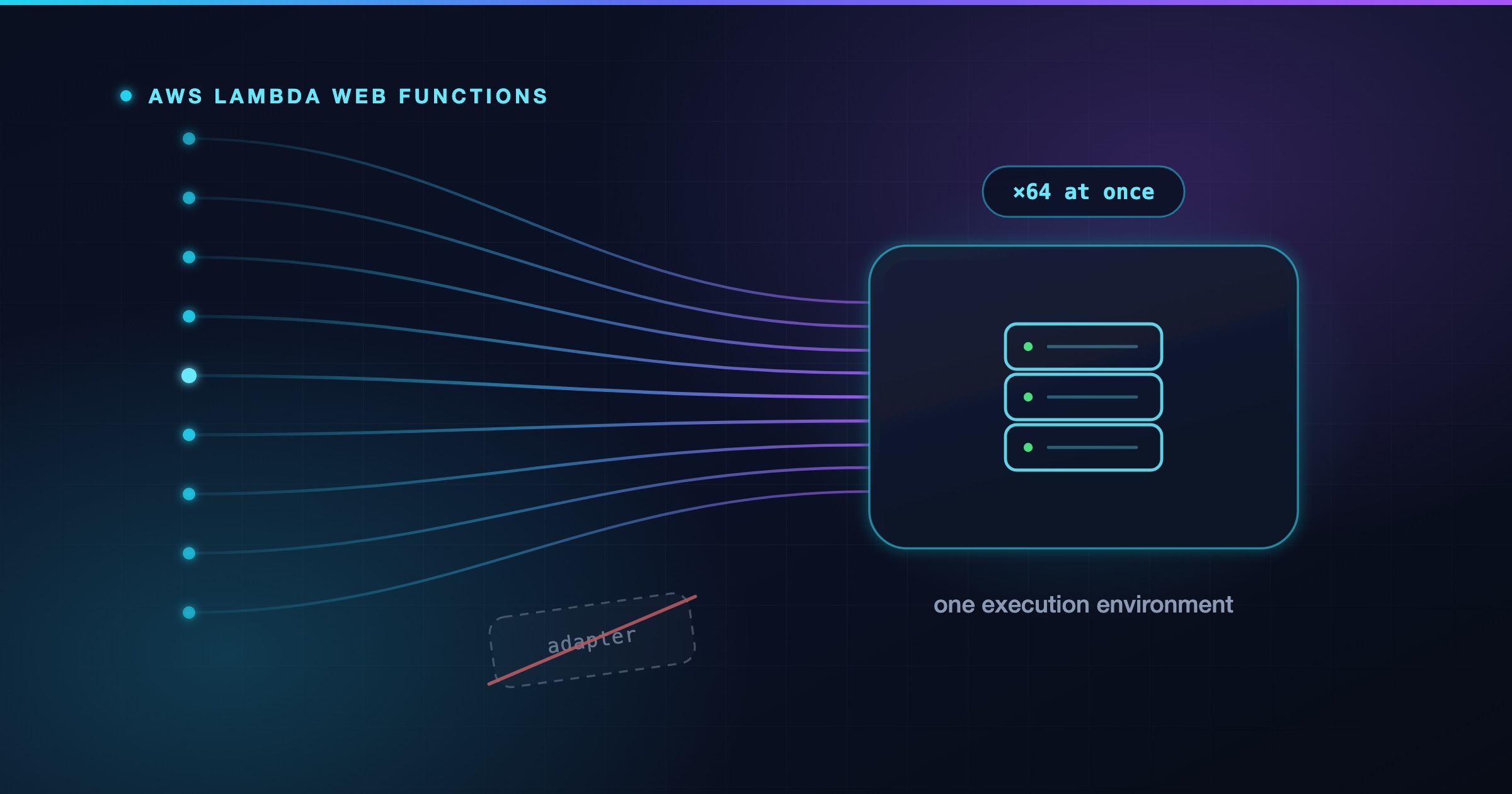
If you’ve ever put an Express app on Lambda, you know the ritual. You write the app the normal way, and then you wrap it. Maybe in serverless-http, maybe in aws-serverless-express, maybe you bolt on the Lambda Web Adapter so your container can keep speaking HTTP. Either way, something in the middle translates an API Gateway event into a request object your framework recognises, and translates the response back out again.
That translation layer was never the real problem, though. The real problem was what sat underneath it.
| Lambda before Web Functions | What it cost you | |
|---|---|---|
| Programming model | Event handler. An adapter fakes an HTTP request from event JSON | Your framework’s own server never runs. Local development needs emulation |
| Concurrency | One request per execution environment | 100 concurrent users means up to 100 environments, each a cold start candidate |
| Billing | Wall-clock duration × configured memory | A handler waiting 400ms on Postgres is billed exactly like one burning 400ms of CPU |
Look at that third row for a second, because it’s the one that quietly shaped a decade of serverless advice. A typical API request spends most of its life waiting: on a database, on an internal service, on a third-party API. Under duration-based billing you pay full price for all of that waiting, and because each environment handles exactly one request at a time, you also pay for an entire environment to sit there doing nothing but waiting.
AWS Lambda Web Functions, which went GA on 12 October 2026, changes both halves of that. Your code starts an HTTP server and listens on a port, exactly as it would on a container or an EC2 box. One environment serves up to 64 concurrent requests. And you pay for the CPU your code actually consumes, not the clock time it spends blocked on I/O.
Those are two separate changes that happened to ship on the same day, and it’s worth keeping them apart in your head. The programming model change is what makes your Express app work unmodified. The billing model change is what makes it affordable.
Before any code, you need the vocabulary, because Web Functions don’t reuse the versions-and-aliases model you know from regular Lambda. There are three resources:
The analogy that holds up well: a revision is a container image tag, built once and never mutated, and an endpoint is a load balancer listener that decides which tag gets traffic and in what proportion. That framing also explains rollback. You don’t rebuild anything. You point the endpoint back at an older revision.
Endpoints come in three flavours, fixed at creation time:
HomeRegion — one Region. The simple default.MultiRegion — several Regions behind a single global domain, with latency-based routing per request.PerRegion — several Regions, each with its own domain, and you control how clients reach them.You can’t change an endpoint’s type or Region set after you create it. To change either, you create a new endpoint and migrate clients to the new domain name.
Active does not mean healthy.
A revision goes Pending → Active once Lambda has downloaded your code and validated the config. An endpoint goes Pending → Active once it has a domain and TLS. Neither of those checks that your HTTP server actually started listening. From the AWS documentation:
An Active revision, an Active endpoint, or a Successful endpoint update doesn’t confirm that your server starts. Lambda doesn’t check that your server listens when it creates or updates an endpoint to use a revision.
So a deploy that is completely broken — wrong entry file, crash on startup, listening on the wrong port — will still show you a wall of green. Send a real request after every deploy and check your logs. Don’t trust the state fields alone.
Let’s deploy something. You’ll need AWS CLI v2 recent enough to include the aws lambda-web commands; check with aws lambda-web help.
The fastest way to see the thing work is the generated starter:
aws lambda-web deploy --name my-web-app --hello-world
This writes server.ts, package.json, README.md and AGENTS.md into ./my-web-app, then deploys it. On a first run it also creates or reuses a versioned S3 bucket for deployment packages, creates or reuses an IAM execution role with CloudWatch Logs permissions, creates the Web Function and its first revision, and creates a HomeRegion endpoint named dev.
The endpoint URL comes back looking like this:
https://bcdfghjklmnpqrst.b7t.lambda-web.us-east-1.on.aws
curl https://bcdfghjklmnpqrst.b7t.lambda-web.us-east-1.on.aws
{"message":"Hello from Lambda Web!","path":"/"}
Note what you didn’t do: no API Gateway, no route definitions, no integration configuration, no CORS wizard, no adapter dependency.
Now replace the starter with something recognisable. It ships with no dependencies, so add Express first:
npm install express
With that in place, the entire Lambda-specific surface area is one line:
import express from 'express';

const app = express();

// Lambda tells you where to listen. Locally, fall back to port 3000.
const [host, port] = (process.env.AWS_LAMBDA_HTTP_ENDPOINT || 'localhost:3000').split(':');

app.get('/', (request, response) => {
  response.send('Hello from Lambda Web Functions!');
});

// Lambda stamps every forwarded request with an ID you can log and return
app.get('/whoami', (request, response) => {
  response.json({
    region: process.env.AWS_REGION,
    requestId: request.get('lambda-web-request-id')
  });
});

app.listen(port, host);
That AWS_LAMBDA_HTTP_ENDPOINT variable is the whole contract. Lambda picks a host and port, hands them to you in host:port format, and routes requests there. If your server listens anywhere else, requests never arrive.
The code uses ESM import because the starter’s package.json sets "type": "module". Worth noting because the AWS documentation’s Express sample uses require, which only works in a project that isn’t ESM.
The || 'localhost:3000' fallback deserves more attention than it usually gets. Lambda doesn’t set that variable on your laptop, so node index.js just runs your app. No SAM local, no Docker, no event JSON fixtures, no emulation layer that behaves subtly differently from production. For anyone who has spent an afternoon debugging why a request works locally and 502s in the cloud, this is the real headline feature.
By default the runtime loads index.js from the root of your package. Point AWS_LAMBDA_NODEJS_ENTRYPOINT somewhere else if you need to. Frameworks that read their own listen address — Next.js in standalone mode, for instance — need a small index.js wrapper that copies AWS_LAMBDA_HTTP_ENDPOINT into the variables they expect before starting the server.
Your dependencies ship inside the package, so install them and point deploy at the directory:
npm install --omit=dev
aws lambda-web deploy --name my-web-app --code .
--code takes a directory, not an archive — deploy packages the code, uploads it and creates the revision for you. You only build a .zip yourself when something needs it in S3, which is the Infrastructure as Code path below.
Each deploy creates a new revision and waits for it to become Active. Because the dev endpoint was created with autoDeploymentMode set to LatestRevision, it picks up the new revision automatically and the URL never changes.
Two traps on the way in. The runtime loads index.js from the package root unless AWS_LAMBDA_NODEJS_ENTRYPOINT points elsewhere, and the starter sets it to server.ts — so edit the file it gave you rather than renaming. And Web Functions run on Arm64 only: a native module built for x86_64 won’t run. Both failures surface the same way, at startup, in an environment that still reports Active.
Streaming is where the HTTP-server model earns its keep. Under the old model, response streaming needed a specific invoke mode and a special handler wrapper. Here you just… write to the response:
app.get('/events', (request, response) => {
  response.setHeader('Content-Type', 'text/event-stream');
  response.setHeader('Cache-Control', 'no-cache');
  response.flushHeaders();

  const interval = setInterval(() => {
    response.write(`data: ${JSON.stringify({ time: Date.now() })}\n\n`);
  }, 1000);

  // Stop working the moment the client goes away
  response.on('close', () => {
    clearInterval(interval);
  });
});
No configuration. The request stays open until your app ends the response or the client disconnects, bounded by the revision’s timeoutSeconds. If you’re proxying an LLM, this is the shape you want, and that response.on('close') cleanup is not optional — without it you keep burning CPU for a client that hung up.
Two protocol constraints to know before you design around this. The request path is half-duplex: Lambda forwards the entire request body before it delivers your response, so read the body fully before you start writing. And WebSocket upgrades are not supported — Lambda strips the upgrade headers. Server-sent events are the supported way to push to a client.
aws lambda-web delete-web-function --function-name my-web-app
This removes the function, its revisions and its endpoints. It deliberately leaves behind the IAM execution role, the S3 deployment packages (including noncurrent versions) and the CloudWatch log groups. Delete those yourself if you’re done, and note that the managed bucket may be shared with other Web Functions in the same account and Region.
The CLI is fine for exploring. For anything you intend to keep, you want a template. All three resource types exist in CloudFormation from day one:
MyWebFunction:
  Type: AWS::Lambda::WebFunction
  Properties:
    FunctionName: my-web-function

MyRevision:
  Type: AWS::Lambda::WebFunctionRevision
  Properties:
    FunctionName: !Ref MyWebFunction
    Description: First revision
    BuildConfig:
      CodeConfig:
        S3Object:
          Bucket: amzn-s3-demo-bucket
          Key: app.zip
      RuntimeConfig:
        Runtime: nodejs24.x
    ServiceConfig:
      ExecutionRoleArn: !GetAtt MyExecutionRole.Arn
      TimeoutSeconds: 30

MyEndpoint:
  Type: AWS::Lambda::WebFunctionEndpoint
  Properties:
    FunctionName: !Ref MyWebFunction
    EndpointName: my-endpoint
    EndpointType: HomeRegion
    AuthType: IamAuth
    RevisionWeights:
      - RevisionId: !GetAtt MyRevision.RevisionId
        Weight: 100
AWS::Lambda::WebFunction is almost empty — it accepts only FunctionName and Tags. All the substance lives in the revision and the endpoint.
Now here’s the part worth understanding properly, because it explains an awkwardness people complain about without naming the cause. There is no AutoDeploymentMode property in CloudFormation. You wire traffic by naming an explicit RevisionId in RevisionWeights. And every single property on AWS::Lambda::WebFunctionRevision is marked Update requires: Replacement.
Put those two facts together. When you change your code, CloudFormation doesn’t add a revision alongside the old one — it replaces the revision resource. By the time the stack update finishes, the revision you’d want to roll back to is gone. The weighted-revision mechanism that makes canary deploys possible is built on two coexisting revisions, and a declarative template that owns exactly one revision resource can’t express that naturally.
The workarounds are all a bit ugly: keep the previous revision alive on a separate test endpoint, declare two revision resources and alternate between them, or drive traffic shifting from a pipeline outside the stack. It’s the roughest edge on the service right now.
CDK users get L1 constructs only — CfnWebFunction, CfnWebFunctionRevision, CfnWebFunctionEndpoint. No L2, which means you hand-roll the versioned code bucket, the BucketDeployment, and the log groups. Create the log groups yourself, incidentally: if you don’t, the service creates them with no retention policy and never cleans them up. Community L2 constructs are starting to appear.
Three settings control capacity. The useful way to think about them is not “how big” but what each one protects:
| Setting | Set on | Range | Default | Protects |
|---|---|---|---|---|
maxConcurrencyPerEnvironment |
Revision | 1–128 | 64 | Your event loop |
maxEnvironments |
Endpoint | 2–10,000 | unset | Your bill |
rateLimit |
Endpoint | 0–10,000 RPS | unset | Your database |
maxConcurrencyPerEnvironment is an upper bound on a limit Lambda manages dynamically, not a target. Lambda watches your resource usage and sets its own per-environment concurrency, never exceeding your bound. Most applications should leave it at 64. Lower it if you’re memory-bound or CPU-bound; raise it only if you’re I/O-bound and genuinely utilisation-limited.
maxEnvironments caps horizontal scale per Region. Leaving it unset means you scale until you hit the account vCPU quota — which, for a hobby project with a bug in a retry loop, is an uncomfortable amount of headroom. Setting it low is a legitimate cost control.
rateLimit caps requests per second, independently of concurrency. Valid values are 0, 100–1,000 in steps of 100, and 2,000–10,000 in steps of 1,000. A value of 0 blocks all traffic and returns 503.
A worked example makes the interaction concrete. Say maxEnvironments is 10 and maxConcurrencyPerEnvironment is 64, so at most ~640 requests in flight. If each request takes 200ms waiting on a query, you top out around 3,200 RPS (640 ÷ 0.2) — so an 8,000 RPS rateLimit never binds, and you’d raise maxEnvironments to grow. Flip it around: if each request takes 10ms, you’d only have ~80 in flight at 8,000 RPS, so the rate limit binds long before concurrency does. Which limit you hit depends entirely on how long your requests take, and guessing wrong means tuning the setting that isn’t the constraint.
The account quotas sit above all three, per Region: 10,000 RPS per endpoint, 100,000 RPS per account, and 2,000 Arm64 vCPUs. Each environment consumes 2 vCPUs, so that last one caps you around 1,000 environments per Region.
A revision with no egress network connector gets direct public IPv4 egress from Lambda-managed infrastructure. No route to anything private in your VPC.
For private access you create an egress network connector, a reusable Lambda resource, and reference a version-qualified ARN from the revision:
aws lambda-core create-network-connector \
  --name my-connector \
  --configuration '{
    "VpcEgressConfiguration": {
      "SubnetIds": ["subnet-0ab1c2d3e4f5a6b78", "subnet-1bc2d3e4f5a6b7c89"],
      "SecurityGroupIds": ["sg-0123456789abcdef0"],
      "NetworkProtocol": "IPv4",
      "AssociatedComputeResourceTypes": ["WebFunction"]
    }
  }' \
  --operator-role arn:aws:iam::123456789012:role/NetworkConnectorOperatorRole
Then set serviceConfig.egressNetworkConnectorArn on the revision. The constraints are specific and worth reading twice:
HomeRegion endpoints support revisions with a connector. Lambda rejects MultiRegion and PerRegion.DualStack connector.Your function still runs on Lambda-owned infrastructure, not inside your VPC. The connector changes outbound routing only — it does nothing to who can call your endpoint.
Good fits. Anything already written as an HTTP server. SSR frameworks where you want the framework’s own production server rather than a hosting shim. REST and GraphQL backends. LLM proxies that stream. Spiky or bursty traffic where scale-to-zero actually saves money. Microservices you want to scale independently.
Reach for something else when:
nodejs24.x is the only runtime. Python, Java, Go and .NET aren’t supported yet.Things I’d want to know before putting this in front of real users.
The concurrency limit has to learn your app first. Lambda’s dynamic per-environment limit starts deliberately conservative on a new Web Function and ramps up as it observes your resource usage. The practical consequence is that your first load test will throw 429s while capacity sits idle. Aidan Steele measured roughly 30 of 40 requests rejected on a first burst, improving across later runs. AWS documents the behaviour and recommends running your load test more than once and trusting the later numbers. Worth knowing before you draw conclusions from a benchmark — or before a launch day doubles as your first real traffic.
You pay for memory while nothing is happening. Active-CPU billing is genuinely good, but memory accrues over the whole lifetime of an execution environment, including idle gaps between requests. Environments linger for a few minutes after traffic stops before Lambda reaps them, and you’re billed for that window. Low, trickling traffic keeps environments alive without doing much work — the one load shape where the billing model works against you.
No Extensions API. Observability vendors that ship telemetry via Lambda extensions have nothing to hook into, so agents have to run inside your application process.
Application-managed auth means wide open. Every endpoint is reachable from the public internet regardless of auth type. With ApplicationManaged, Lambda authenticates nothing — any client that knows the domain reaches your code. There’s also no custom domain support and no direct AWS WAF association. The production front door is CloudFront with an IamAuth endpoint and origin access control, plus a resource policy scoped to your distribution ARN.
One sharp edge if you go that route: Lambda routes on the Host header and returns 404 if it isn’t the endpoint domain, so don’t forward the viewer’s Host. Use the AllViewerExceptHostHeader origin request policy.
CORS is entirely yours. Lambda adds no CORS headers at all. Handle preflight yourself, return an explicit origin rather than reflecting whatever arrives, and remember CORS was never an authentication control.
A few numbers that are better than you’d expect, for balance. The deployment package limit is 512 MB unzipped, against 250 MB for Event Functions. Environment variables get 32 KB rather than 4 KB. And the 6 MB invocation payload ceiling that shapes so much Event Function design doesn’t appear in the Web Functions quota table at all.
Finally, if you’re load testing on a new AWS account, note that new accounts get reduced vCPU and request-rate quotas which AWS raises automatically based on usage. Combined with the concurrency ramp-up, a fresh account is close to the worst possible place to benchmark this service.
AWS_LAMBDA_HTTP_ENDPOINT is unset on your machine, so the fallback kicks in and node index.js runs your app normally.autoDeploymentMode to Disabled and split RevisionWeights across two revisions — two is the maximum, with weights from 1 to 100. Use application logs or custom metrics tagged with the revision ID to evaluate it, because the service-vended CloudWatch metrics carry no revision dimension.SIGTERM. You get up to 1 second for cleanup. Don’t rely on it for anything that must not be lost.NODE_OPTIONS=--max-old-space-size=1536 if you need to, leaving room for buffers, native modules, the runtime and all your concurrent requests.AWS_LAMBDA_HTTP_ENDPOINT. No adapters, and local development is just node index.js.Active never means healthy. Send a real request after every deploy.For five years the advice for running a web framework on Lambda was to find a decent adapter and accept the tax. Web Functions remove the adapter, and more importantly they remove the reason it existed: Lambda now has a concurrency model and a billing model that match how web applications actually behave. The constraints at launch are real, and a Node-only, Arm-only, 2 GB box won’t suit everything. But if your app is already an HTTP server, the gap between how you develop it and how it runs in production just got much smaller than it has ever been.